Summary:
QMS software integration connects quality processes with the operational data managed across ERP, CRM, MES, MRP, and LIMS systems. This blog explains why these connections matter, what data and workflows can be integrated, how API-based QMS integration works, and the key capabilities to look for when evaluating an integration-ready QMS for a connected quality environment.
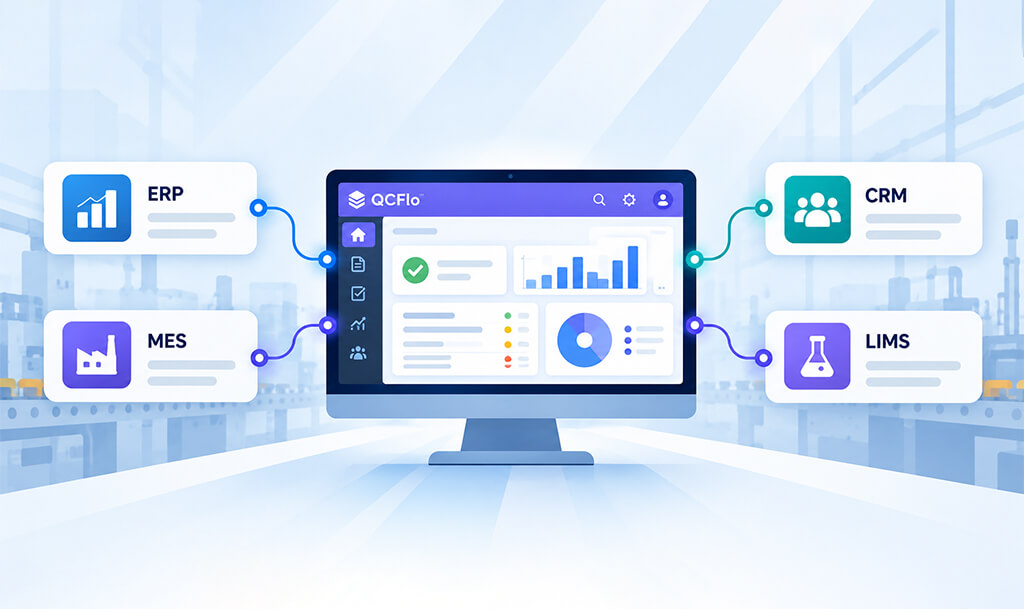
QMS (Quality Management System) software integration connects a QMS with other business applications so relevant data can be used across quality and operational workflows. A QMS can integrate with systems such as ERP (Enterprise Resource Planning), CRM (Customer Relationship Management), MES (Manufacturing Execution System), MRP (Material Requirements Planning), and LIMS (Laboratory Information Management System).
Quality teams may need supplier, item, purchase order, production, customer, or test data to complete a quality process, even when that information is managed in another system. Integration allows the QMS to use relevant information from these systems for processes such as inspections, nonconformance, supplier quality, complaints, and CAPA (Corrective and Preventive Action).
The way these connections work depends on the systems involved and the quality workflows they support. Understanding the integration options, the data and workflows they can connect, and the capabilities that make a QMS integration-ready can help organizations evaluate how well a QMS can fit into their existing technology environment.
Why integrate a QMS with existing business systems?
A QMS should integrate with existing business systems to reduce manual data handling, connect quality processes with operational information, and give teams better visibility into quality events.
Key benefits include:
- Reduced duplicate data entry
- More consistent data
- Faster access to quality information
- Better-connected quality processes
- More useful quality metrics
A NIST MEP manufacturing case study found that API-based integration between ERP, QMS, and production systems eliminated most manual data entry and reduced errors. ASQ similarly identifies integration with ERP, MES, PLM, and CRM systems as a way to eliminate manual data collection, access quality data in real time, and respond to quality events faster.
What systems can a QMS integrate with?
A QMS can connect with the enterprise systems that hold information relevant to quality operations. For manufacturers and regulated organizations, common integration points include ERP, CRM, MES, MRP, LIMS, and business intelligence systems.
-
QMS and ERP
ERP systems manage operational information such as suppliers, items, purchase orders, goods receipts, production orders, and inventory. A QMS can use relevant ERP data as context for quality processes.
System data: Supplier records, item details, purchase orders, goods receipts, production orders, and inventory information
Quality use: Incoming inspections, supplier quality evaluations, nonconformance, corrective actions, and production-related quality processes
Example: When a goods receipt is recorded in the ERP, relevant purchase order, supplier, item, and quantity information can be passed to the QMS. The quality team can then use that information to initiate and document an incoming inspection. If the material fails inspection, the QMS can continue the related nonconformance or corrective action process.
This type of workflow can apply when integrating a QMS with manufacturing ERP platforms such as Acumatica ERP and SAP Business One.
In manufacturing, the most useful ERP-QMS integrations usually focus on the transactions that trigger quality activity. Pulling every ERP field into the QMS can add complexity without improving the quality process.
-
QMS and CRM
CRM systems manage customer, product, service, and case information. Connecting relevant CRM data with a QMS can give quality teams the customer and product context needed to investigate quality issues.
System data: Customer records, products, service information, cases, and customer interactions
Quality use: Complaint management, investigations, root cause analysis, corrective actions, and complaint resolution
Example: A customer case involving a product issue can provide the customer and product details needed to create a complaint in the QMS. The quality team can then investigate the issue, document the root cause, and initiate corrective action when required. With Microsoft Dynamics 365 CRM, relevant customer and case information can be connected to these quality workflows through API-based integration.
-
QMS and MES or MRP
MES provides production-level information such as work orders, production activities, and manufacturing results. MRP systems provide planning and production-related information, although MRP functionality is often part of an ERP platform rather than a separate system.
System data: Work orders, production activities, manufacturing results, production schedules, and planning information
Quality use: In-process inspections, production quality checks, deviations, nonconformance, and corrective actions
Example: Production or work-order information can provide the context for an in-process inspection. Inspection results can then be associated with the relevant production activity, with deviations or failed checks routed into the appropriate quality workflow.
-
QMS and LIMS
LIMS manages laboratory information such as samples, test results, specifications, and analytical records. Connecting relevant laboratory data with a QMS can associate test evidence with quality decisions and investigations.
System data: Sample information, test results, specifications, and analytical records
Quality use: Quality evaluations, investigations, product release activities, nonconformance, and compliance-related processes
Example: A laboratory test result can be passed to the QMS as supporting information for a quality evaluation. If the result falls outside the required specification, it can provide evidence for an investigation or related nonconformance.
The key is not to move every piece of information between systems. Each application should remain the system of record for the data it manages, while the QMS receives the information required for its quality processes.
How API-based QMS integration works
API-based QMS integration creates a controlled connection between the QMS and another business application. Instead of manually transferring information, the connected systems can exchange defined data through API requests.
A typical integration involves several steps:
- Authenticate the connection: The connected system and QMS establish that the request is coming from an authorized application or user.
- Request or send defined data: The integration specifies what information can be accessed or exchanged. This might include selected records, fields, statuses, or transaction details rather than an entire database.
- Map the data: Information from one system is matched to the corresponding fields or records in the other system so that it can be processed correctly.
- Trigger the required action: The received information can initiate or update a configured QMS workflow. The QMS may also return a status or quality result to the connected system when required.
The exact integration design depends on the systems involved, the data being exchanged, and the workflows being connected. Authentication, permissions, data mapping, synchronization rules, and error handling all need to be defined as part of the integration.
What makes a QMS integration ready?
A QMS is integration-ready when it can connect with other business applications through defined, secure, and configurable interfaces. The goal isn’t simply to have an API. The QMS should provide enough flexibility for organizations to connect relevant data to the workflows they actually use.
Key characteristics include:
- API access: APIs should support the data and operations required by connected systems rather than limiting integration to a narrow set of records.
- Secure authentication and permissions: External applications should have controlled access to the data and functions they need.
- Data mapping and configurability: The QMS should accommodate differences in field names, identifiers, data structures, and business rules across systems.
- Workflow support: Integration should connect with actual quality processes, such as inspections, complaints, nonconformance, supplier quality, and CAPA, rather than simply moving data between databases.
- Two-way exchange: Where required, the integration should allow information to move into and out of the QMS so that quality status and outcomes can be shared with connected systems.
- Clear documentation: API documentation should define available endpoints, authentication requirements, data structures, and integration behavior so technical teams can build and maintain connections.
When evaluating a QMS integration, ask to see a real workflow rather than only an API specification. A vendor may demonstrate that an API can exchange data, but the more important question is whether that connection can support the quality process your team actually needs.
Building a Connected Quality Management Ecosystem
A connected quality management ecosystem brings quality processes and operational information together without requiring every function to work in the same system. ERP, CRM, MES, MRP, and LIMS can continue managing their respective business data while the QMS connects relevant information to quality workflows.
The goal isn’t to connect every system or move every piece of data between applications. Integration should focus on the information and workflows that need to interact, with each system continuing to manage the processes it is designed for. As organizations add facilities, applications, or new quality requirements, the integration architecture should be flexible enough to support those changes.
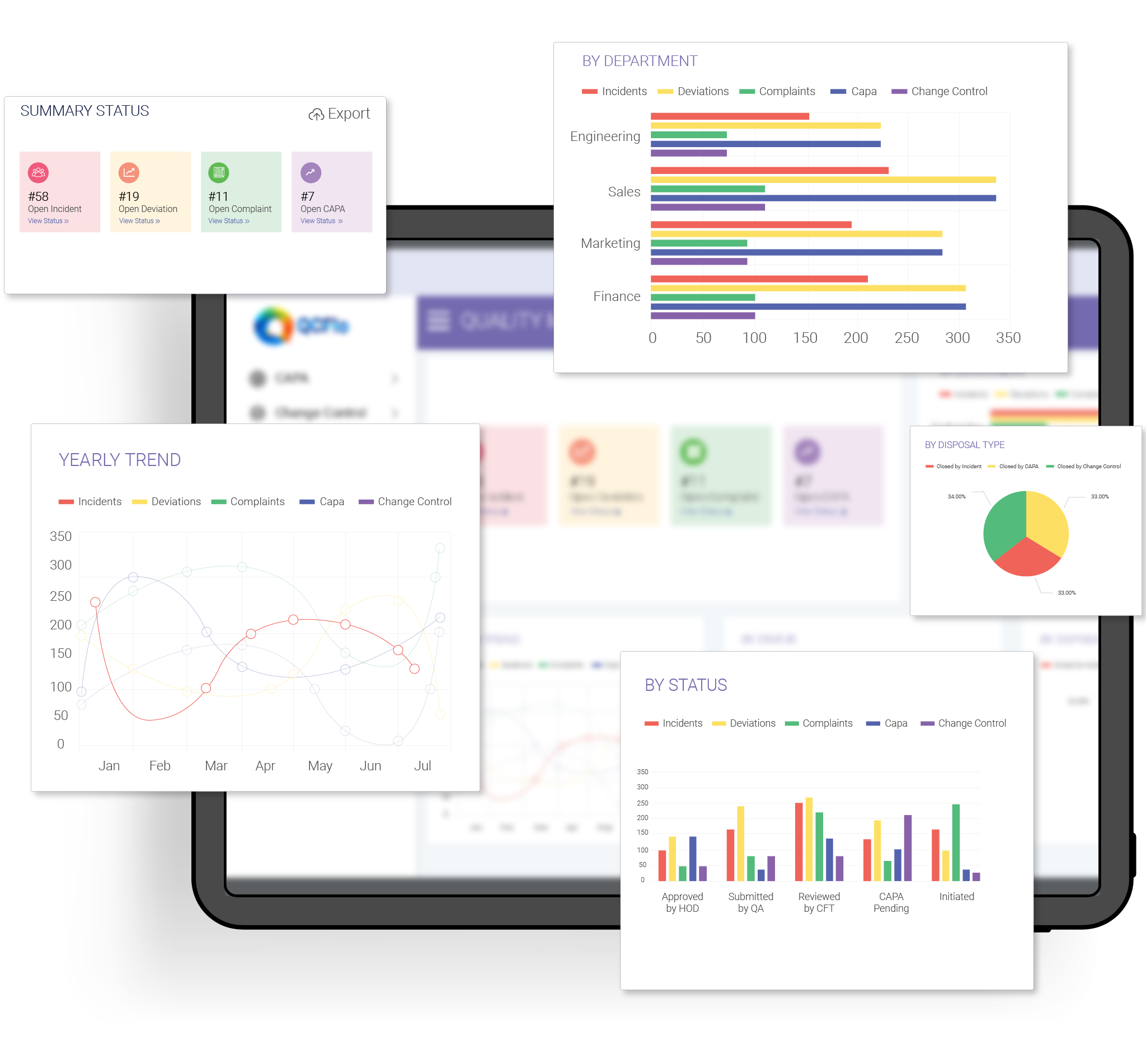
QCFlo is designed as a standalone, integration-ready QMS that can connect quality operations with an organization’s existing technology environment through API-based integrations. It supports connections with business systems such as ERP and CRM platforms while providing a central environment for managing quality and compliance processes.
For manufacturers and regulated organizations, this approach allows quality management to remain connected to day-to-day operations without making the QMS dependent on any single business platform.
See how QCFlo supports connected quality workflows
Request a DemoFAQs
-
What is QMS software integration?
QMS software integration connects a quality management system with other business applications, so relevant data can be exchanged between them. Common QMS software integration scenarios may include ERP, CRM, MES, MRP, and LIMS systems.
-
What systems can a QMS integrate with?
A QMS can integrate with systems such as ERP, CRM, MES, MRP, LIMS, and business intelligence platforms. The specific integrations available depend on the QMS architecture, APIs, and the data and workflows an organization needs to connect.
-
How does API-based QMS integration work?
API-based QMS integration allows connected applications to exchange defined data through authorized API requests. Depending on the integration, the QMS can receive information from another system, send quality information back, or support two-way data exchange.
-
Can a standalone QMS integrate with an ERP?
Yes. A standalone QMS can integrate with an ERP through APIs or other supported integration methods. The QMS can remain responsible for quality processes while the ERP continues managing operational data such as suppliers, items, purchase orders, production orders, and inventory.
-
What data can be exchanged between a QMS and ERP?
Depending on the integration, data can include supplier and item information, purchase orders, goods receipts, production orders, inventory details, inspection results, quality statuses, and other relevant records. The specific data exchanged depends on the workflow and the systems involved.
-
Why integrate a QMS with other business systems?
QMS integration can connect quality workflows with the operational information teams already use across the organization. This can reduce manual data entry, improve traceability, and give quality teams the context they need to manage processes such as inspections, supplier quality, complaints, nonconformance, and CAPA.